
CodeFormer – AI Face Restoration Tool
About CodeFormer
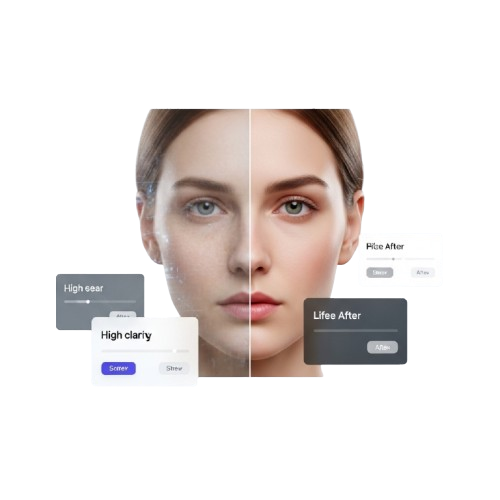
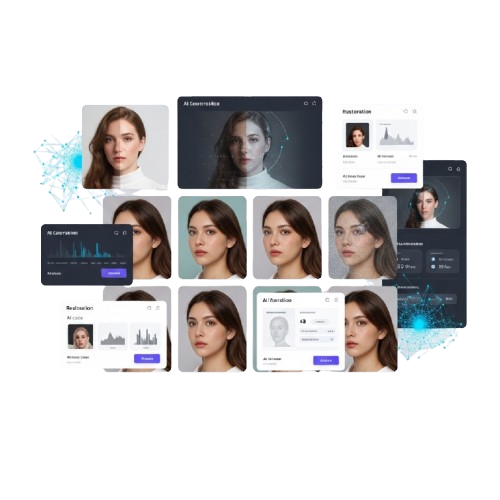
CodeFormer is a fast, AI-powered face restoration tool that enhances old, blurry, or low-quality photos and AI-generated portraits. It intelligently restores facial details, sharpens features, and improves resolution so every image looks natural and vivid.
Built with advanced AI and deep learning principles, CodeFormer integrates seamlessly into your workflow. Simply upload an image, adjust the enhancement settings, and get stunning results in seconds — no complicated setup required.
CodeFormer is designed to be powerful yet easy to use. It runs efficiently, preserves your images’ original identity, and ensures privacy by processing images locally whenever possible.
Whether you are restoring historical photos, improving AI-generated faces, or enhancing everyday portraits, CodeFormer makes face restoration effortless — accurate, fast, and always reliable.
Features of CodeFormer
CodeFormer is a fast, easy, and AI-powered face restoration tool that improves old, blurry, or low-quality photos. It intelligently enhances facial details, sharpens features, and increases resolution for stunning results without disrupting your workflow.
AI Face Restoration
Automatically restores facial details, removes blur, and improves clarity while preserving natural identity.
Adjustable Enhancement
Control how much detail is restored versus original identity preservation with a simple slider.
Multi-Degradation Support
Handles old photo damage, noise, compression artifacts, and low-resolution images in one process.
High Resolution Output
Enhances images while preserving high-resolution details for sharp and realistic results.
Automatic Face Detection
Targets restoration precisely to detected faces, improving subjects without affecting background.
Batch Processing
Process multiple images efficiently with consistent quality, saving time for bulk restoration tasks.
Fast and Efficient
Runs quickly and efficiently without heavy CPU usage, making it suitable for desktops and laptops.
Privacy-Focused Local Processing
Images are processed locally whenever possible to ensure your data stays secure and private.
Why Choose CodeFormer
CodeFormer is a fast, powerful, and AI-driven face restoration tool. It enhances old, blurry, or low-quality photos and AI-generated portraits instantly, keeping facial details natural and sharp.
AI-Powered Restoration
Automatically restores faces, removes blur, and improves clarity while preserving the subject’s identity.
High Fidelity Control
Adjust the balance between enhancement and identity preservation with a simple, intuitive slider.
Multi-Image Support
Process multiple photos efficiently with consistent quality for batch restoration tasks.
High Resolution Output
Enhance and upscale images while keeping sharp, natural facial details intact.
Automatic Face Detection
Precisely targets facial areas without affecting background, delivering natural and accurate results.
Privacy-Focused Processing
Images are processed locally whenever possible, ensuring full security and privacy for all users.
How CodeFormer Works
Follow the simple four-step workflow to upload, analyze, restore, and download your images instantly, whether you’re working with old family photos, low-resolution images, or heavily degraded pictures.
Upload Image
Select your degraded or blurry image and upload it to CodeFormer. Supported formats: JPEG, PNG, BMP.
AI Analysis
CodeFormer analyzes facial features using its learned codebook and prepares the image for restoration.
Restore Image
The AI restores facial details, sharpens the image, and removes degradation, making it look natural and lifelike.
Download & Save
Download your restored image instantly. Optionally, share it or batch process multiple photos with ease.
Download CodeFormer
CodeFormer is available as a fast, AI-powered face restoration tool and can be downloaded from trusted official platforms.
Operating System: Windows, macOS, Linux (supported versions listed in official docs)
Architecture: Intel and Apple Silicon supportedPrice: Free (web demo) / optional paid featuresLicense: Open Source / Commercial use depending on platform
Installation Guide
Download the App
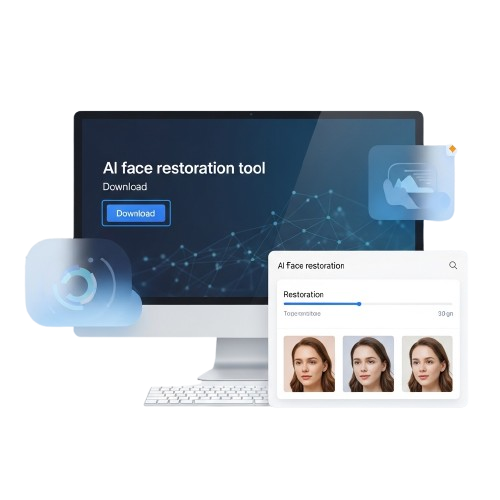
Download CodeFormer from the official website or trusted AI model platforms to install the fast and powerful face restoration tool today.
Install the App
Open the downloaded CodeFormer package and follow the setup instructions to complete the installation on your desktop systems.
Launch the App
Start CodeFormer from your Applications folder, Start Menu, or desktop shortcut to begin enhancing and restoring photos instantly.
Configure Settings
Adjust enhancement sliders and preferences to control Ai face restorations, resolutions, and fidelity for every image that you process in it.
Guide for CodeFormer
What Users Say About CodeFormer




CodeFormer Frequently Asked Questions
Learn everything about CodeFormer, the AI-powered face restoration tool. These FAQs cover installation, features, privacy, usage tips, and troubleshooting guidance.
CodeFormer is an AI-powered face restoration tool that enhances old, blurry, low-quality, or AI-generated portraits with natural, high-quality results.
Yes, CodeFormer can fix aged, damaged, or blurry photos, restoring facial details while maintaining the original subject’s identity and natural look.
Absolutely. CodeFormer improves AI-generated portraits, sharpening facial features and increasing resolution for a realistic, professional appearance.
Simply click the upload button in CodeFormer, select your image file, and the AI will automatically detect faces for restoration.
CodeFormer supports common image formats including JPG, PNG, BMP, and TIFF, ensuring compatibility for most personal or professional images.
Yes, batch processing allows multiple images to be restored in one go, saving time while maintaining consistent enhancement quality.
CodeFormer offers free online demos, while full-feature or commercial use may require licensing depending on the platform used.
CodeFormer works on Windows, macOS, and Linux, supporting both Intel and Apple Silicon systems for wide compatibility.
Processing speed depends on image size and system performance, but most single images are restored in seconds using AI acceleration.
Yes, the fidelity slider lets you control how much detail is restored versus preserving the original identity of the face.
No. CodeFormer preserves the original identity while improving clarity, detail, and resolution, keeping the face natural and recognizable.
Yes. Images are processed locally whenever possible, and CodeFormer does not upload your files to external servers unless using online demos.
Most versions allow you to preview results before downloading, so you can adjust settings or discard changes if needed.
Yes, the desktop version can process images locally, ensuring full privacy and eliminating the need for an internet connection.
Yes, CodeFormer can upscale images while restoring facial features, producing high-quality results from small or pixelated files.
CodeFormer uses advanced AI to detect and enhance facial regions precisely, leaving backgrounds untouched for a natural look.
Yes, CodeFormer reduces motion blur, camera shake, and image noise, improving clarity while maintaining natural textures.
Batch processing is supported, though extremely large batches may depend on system memory and processing power for optimal performance.
Absolutely. CodeFormer is ideal for archival work, restoring faces in decades-old photographs with realistic and detailed results.
Yes, CodeFormer can enhance and colorize old black-and-white images while keeping the restored faces accurate and natural-looking.
Developers can use model repositories and APIs to integrate CodeFormer’s AI into custom workflows or image processing applications.
Exported images retain high-resolution quality, and the AI ensures faces remain sharp and natural even in larger formats.
Yes, a web demo allows instant face restoration without installation, perfect for quick testing or small image edits.
Always download CodeFormer from the official website or trusted AI model platforms to ensure security and the latest updates.
CodeFormer – Restore Faces, Enhance Every Detail
CodeFormer is an advanced AI tool to restore faces, enhance image details, and improve photo quality with professional results instantly. online
Price: Free
Price Currency: $
Operating System: Windows, macOs, Linux
Application Category: Software
4.7